Constant
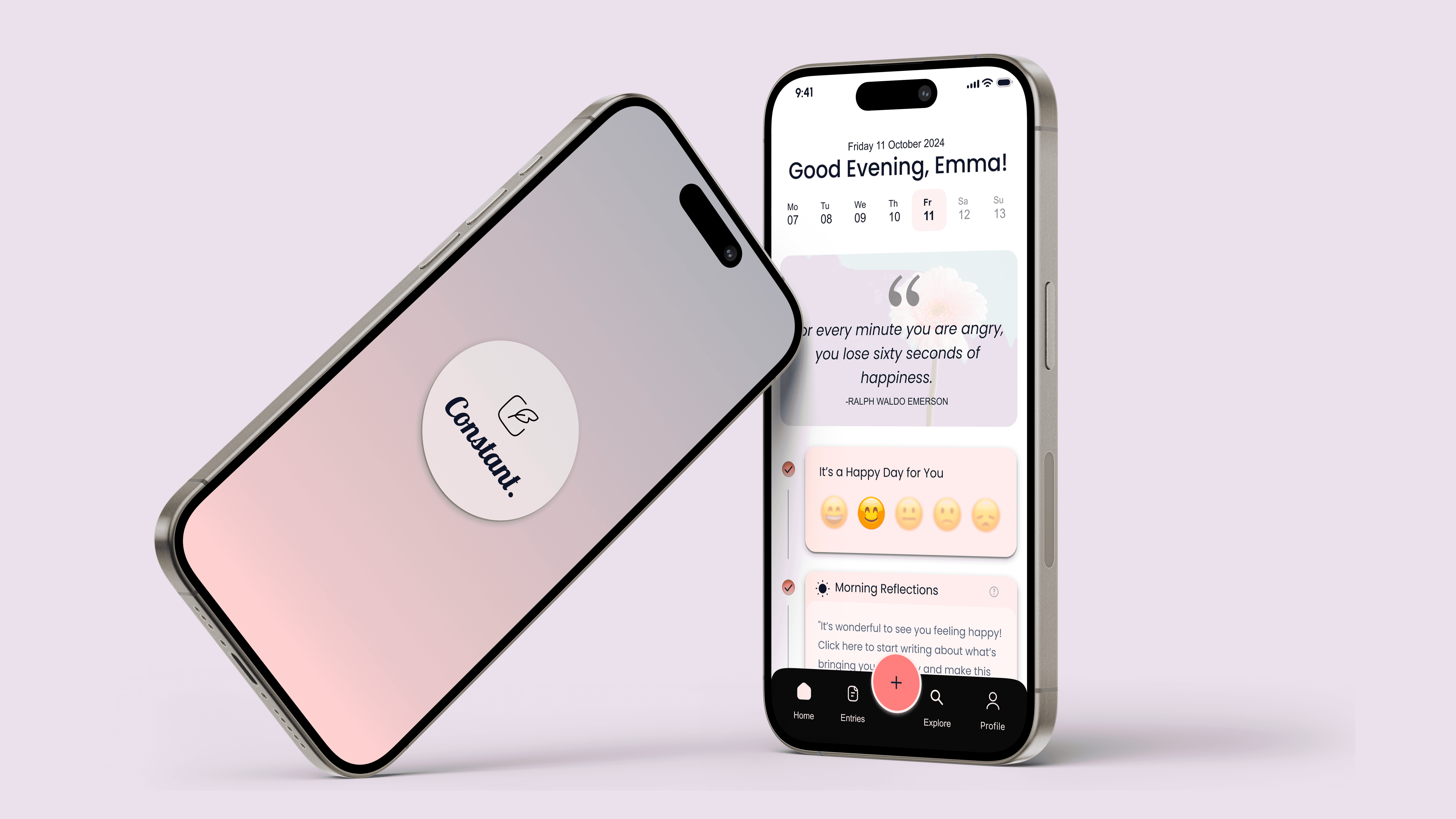
A habit-forming journaling app designed to help students manage stress and build emotional resilience.
My Role
UX/UI Designer
Timeline
16 Weeks
Responsibilities
End-to-end design process
User research & interviews
Information architecture
Visual design & prototyping
Usability testing with 6 students
Tools Used
Figma (UI Design, Prototyping)
Miro (Research Synthesis)
ChatGPT (Text rephrasing)
Gemini (Image generation)
Photoshop (Image editing)
Overview
As academic demands continue to rise, students are experiencing record levels of stress, often without the time, tools, or support needed to manage their mental well-being. 87% of college students report feeling overwhelmed by their academic workload
The Gap
The problem isn't lack of awareness, it's lack of accessible, daily tools that feel supportive rather than clinical. Students need something that helps them build emotional resilience through small, consistent actions, especially when professional therapy isn't accessible or between sessions. 76% of students experience moderate to severe psychological distress out of which only 33% of students received any mental health services in the past year and only 07% of students seek help when experiencing stress or depression
The Solution
Constant makes stress management approachable through three core experiences:
1. Guided Reflections: Morning and evening prompts that reduce cognitive load and make journaling feel effortless
2. Mood and Pattern Tracking: Simple mood check-ins that help users identify emotional patterns and triggers over time
3. Rewards and Growth: Positive reinforcement through streaks and insights that encourage consistency without guilt
How I Designed for Habit Formation
I used a human-centered design approach, moving through discovery, definition, design, testing, and iteration. The key was continuously validating decisions with real students to ensure the app would actually fit into their stressed, busy lives.
Hooked Model: I applied Nir Eyal's Hooked Model to design for habit formation rather than one-time use. Each element was carefully designed to create a positive feedback loop:
Trigger: Internal (feeling stressed) + External (gentle notifications)
Action: Low-friction journaling with guided prompts
Variable Reward: Insights, streaks, and curated content
Investment: Personal data creates a richer experience over time
This framework transformed journaling from a chore into something students genuinely want to return to.
Research Insights
Through secondary research and conversations with university counseling staff, three key insights emerged that shaped the design direction:
Insight 1
Stigma Prevents Early Help-Seeking Students wait until they're in crisis before seeking help. They need low-stakes tools for everyday stress management that don't feel "clinical."
Insight 2
Existing Tools Feel Like Homework Students described most wellness apps as "another thing to check off" rather than genuine support. The design needed to feel rewarding, not obligatory.
Insight 3
Habit Formation Requires Immediate Value Students abandon apps within 3 days if they don't see personal benefit. The app needed to provide value from the first session while building long-term habits.
Target Market:
Constant is designed for university students seeking accessible tools to manage stress and build healthier habits. At the same time, the app is positioned for universities and counseling centers looking to offer scalable, tech-driven support to students navigating academic pressure and emotional challenges.
Roughly 5300 Universities in USA
which rounds to approximately 20.2 million students.Out of those 45% students seek mental health regarding help which rounds to approximately 9.09 million students.
20.2M
9.09M
Ideation
Feature Roadmap: After understanding user needs and project constraints, I prioritized features into two categories:
Must-Haves for core functionality, and Should-Haves for added value. This helped me stay focused on delivering the most impact within the available timeline while leaving room for future iterations.
Must have
Personalized reminders via notifications containing
Note pad to write about their feelings.
Visualize progress tracking through charts, streaks, or milestones.
Mood tracking to help users track their emotional well-being over time.
Predict patterns after several journal entries using AI for personalization.
Onboarding guidance details to help users understand the features of the app.
Clear and transparent privacy policy.
Should have
Streaks for daily journaling consistency
Pre written prompts making writing much easier and quicker.
Feature to add photos to describe their day even better
Option to reflect at particular times of the day using pre written prompts
Allow users to speak their entries using audio journal feature.
Offline journaling option for users to write even when they are not connected to internet.
Flashbacks from this day last year.

User Flow: A clear and intuitive user flow was key to making Constant feel approachable. I focused on creating a smooth, student-friendly journey that prioritized ease of use, minimal friction, and quick access to core features so users could focus on reflection, not navigation.
Design
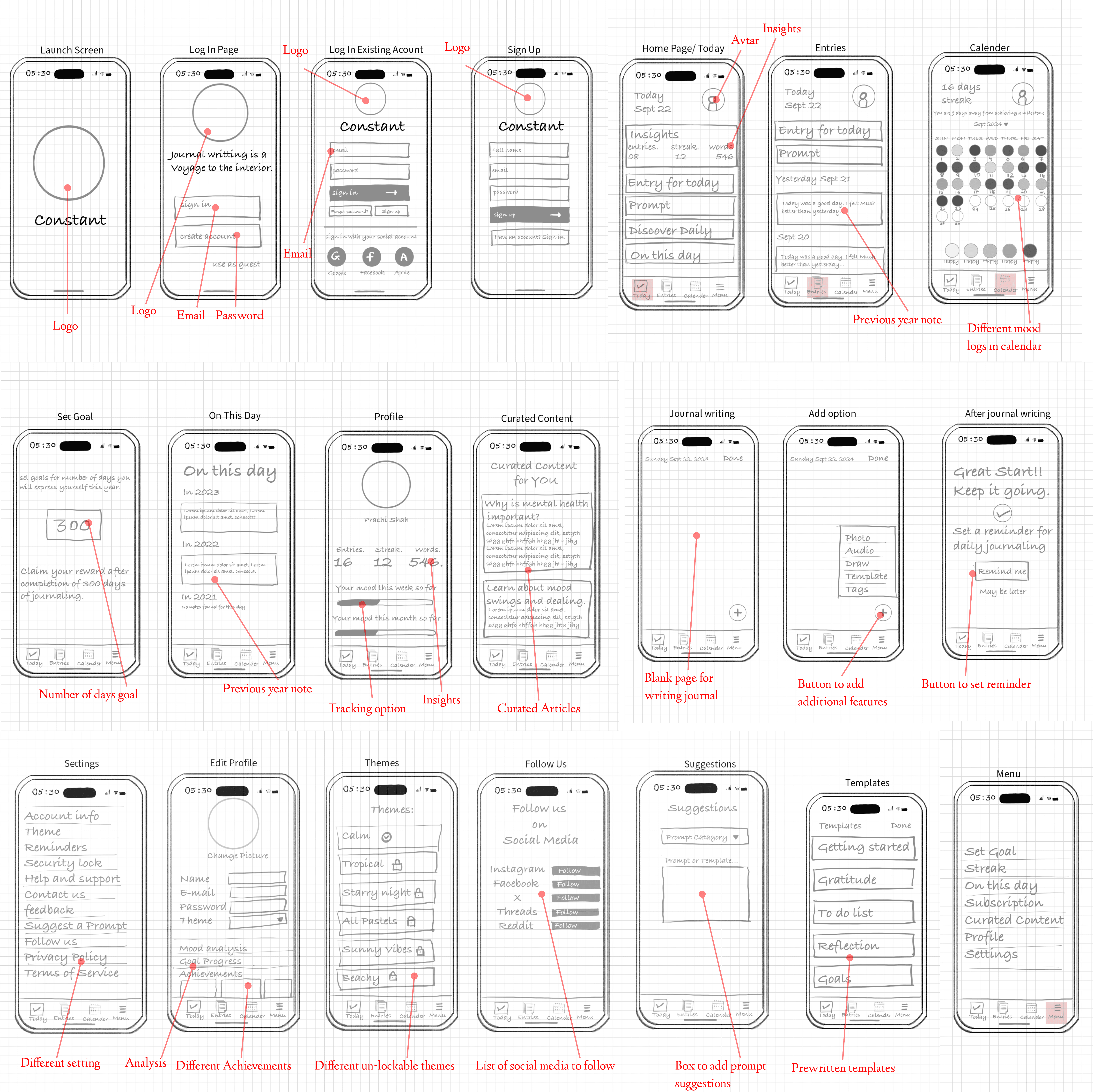
Lo-Fi Wireframes: I began with low-fidelity wireframes to quickly explore layout ideas and task flows. This phase helped me experiment with different directions and refine the core experience before moving into detailed design.
UI Kit: The moodboard helped set the visual direction for Constant, guiding the creation of a cohesive style guide. From color palettes to typography and icon choices, every element was selected to reflect a calm, student-friendly tone that supports focus and emotional comfort.
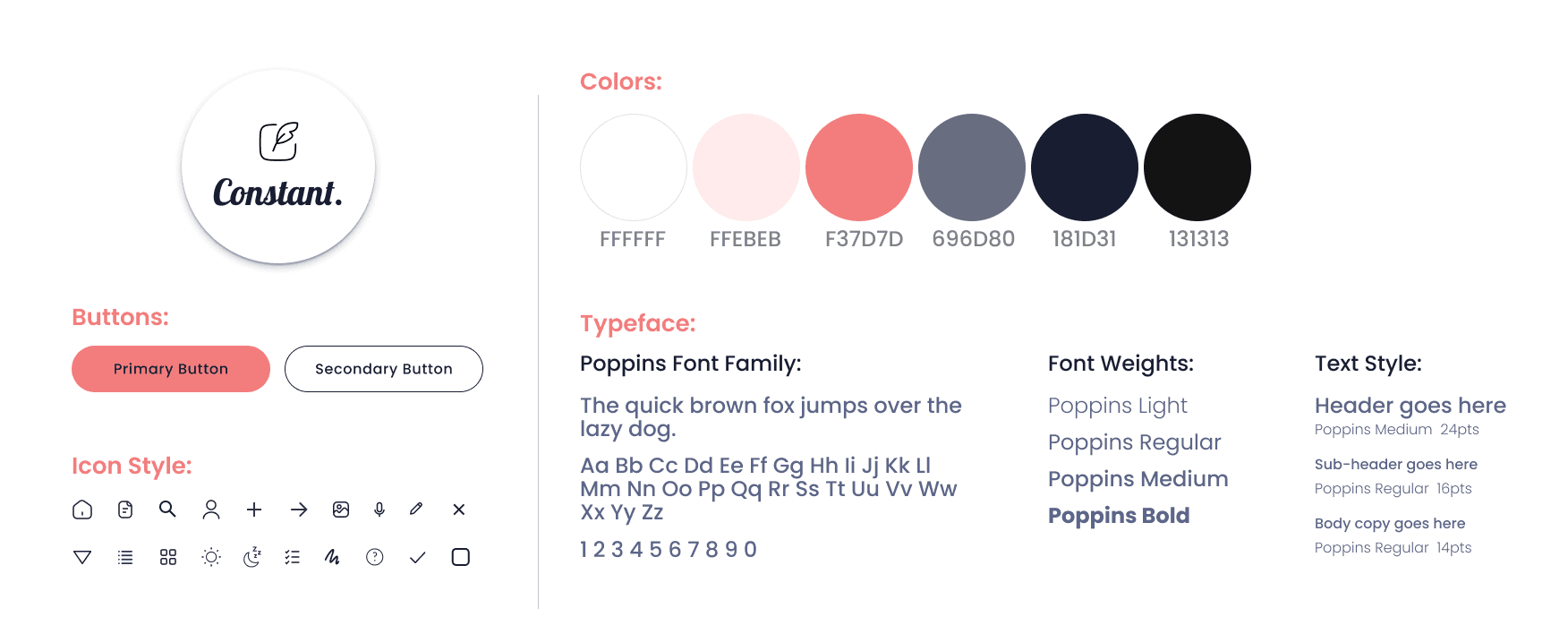
HI-FI Wireframe: Building on the low-fidelity structure, I designed high-fidelity wireframes to bring Constant to life with final visuals, refined interactions, and real content. This stage focused on aligning the user experience with the visual language defined in the UI kit, ensuring both form and function worked hand in hand.
Onboarding: The app's homepage and overall experience are personalized based on the user’s selections during the onboarding process. By tailoring features, prompts, and design elements to individual preferences.
View Prototype
Curated Content and Analysis: The app offers curated content, including articles and videos, tailored to the user’s profile. Additionally, after logging mood data for a certain number of days, users receive detailed analysis to help them better understand their emotional patterns and progress.
View Prototype
Journaling: In addition to journaling, the app offers morning and evening reflection features. Based on the user’s preferences, these reflections provide guided and personalized prompts to help users start their day with focus and end it with mindfulness.
View Prototype
Test
To validate the experience, I conducted usability testing focused on functionality, clarity, and overall ease of use. Participants were asked to complete core tasks, like mood tracking, daily reflections, and browsing curated content to uncover friction points and opportunities for improvement.
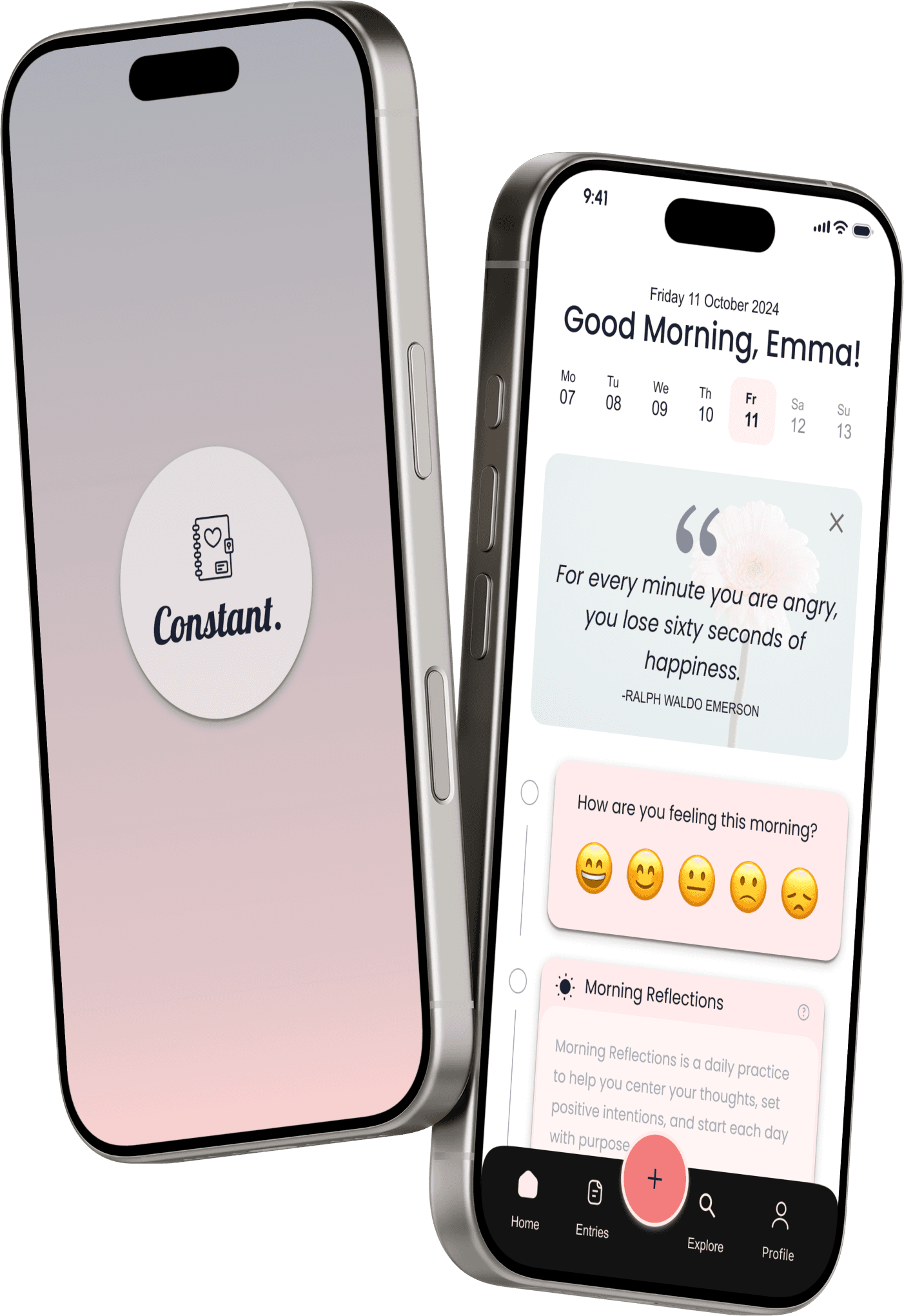
Deliver
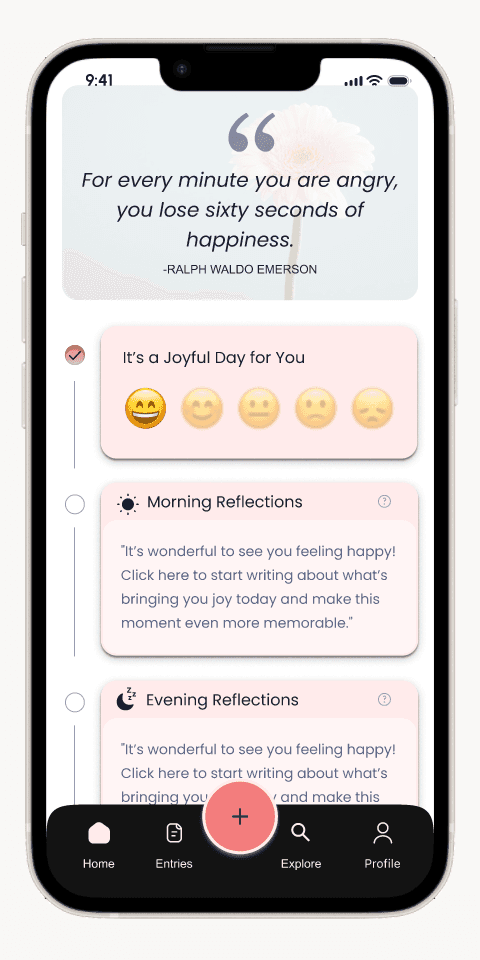
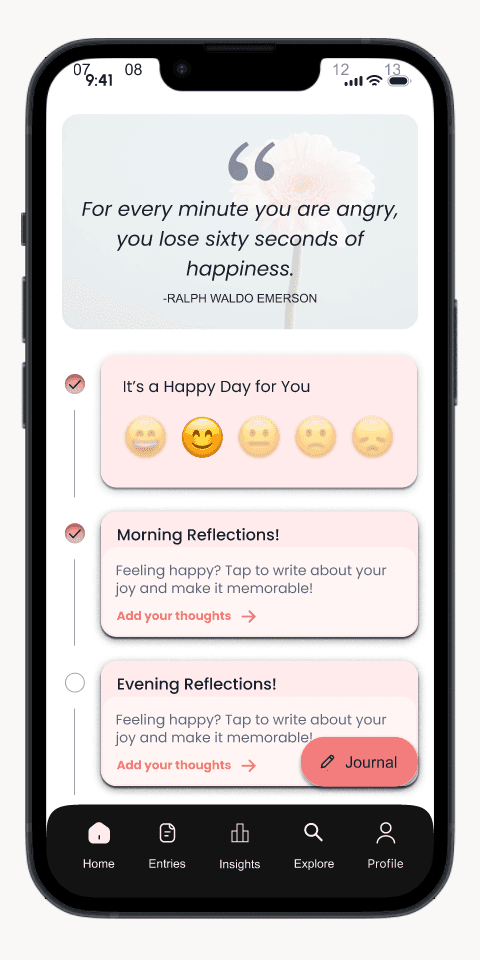
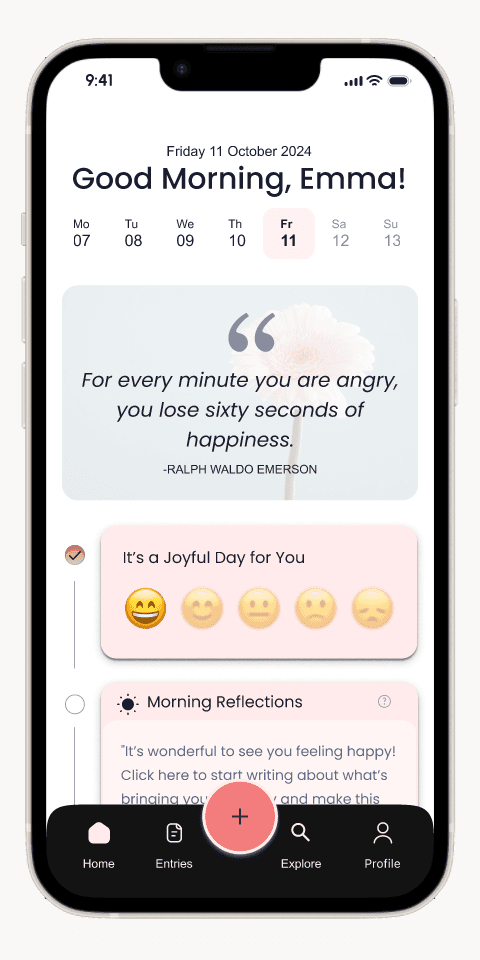
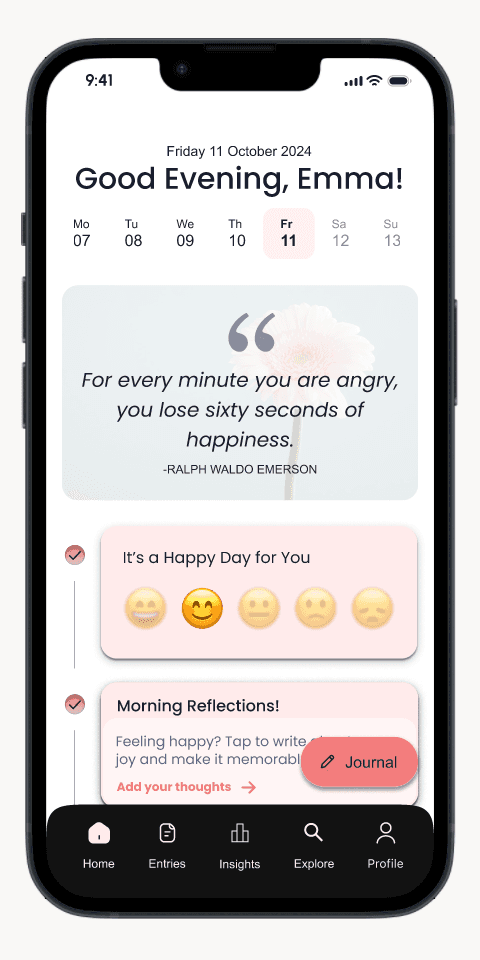
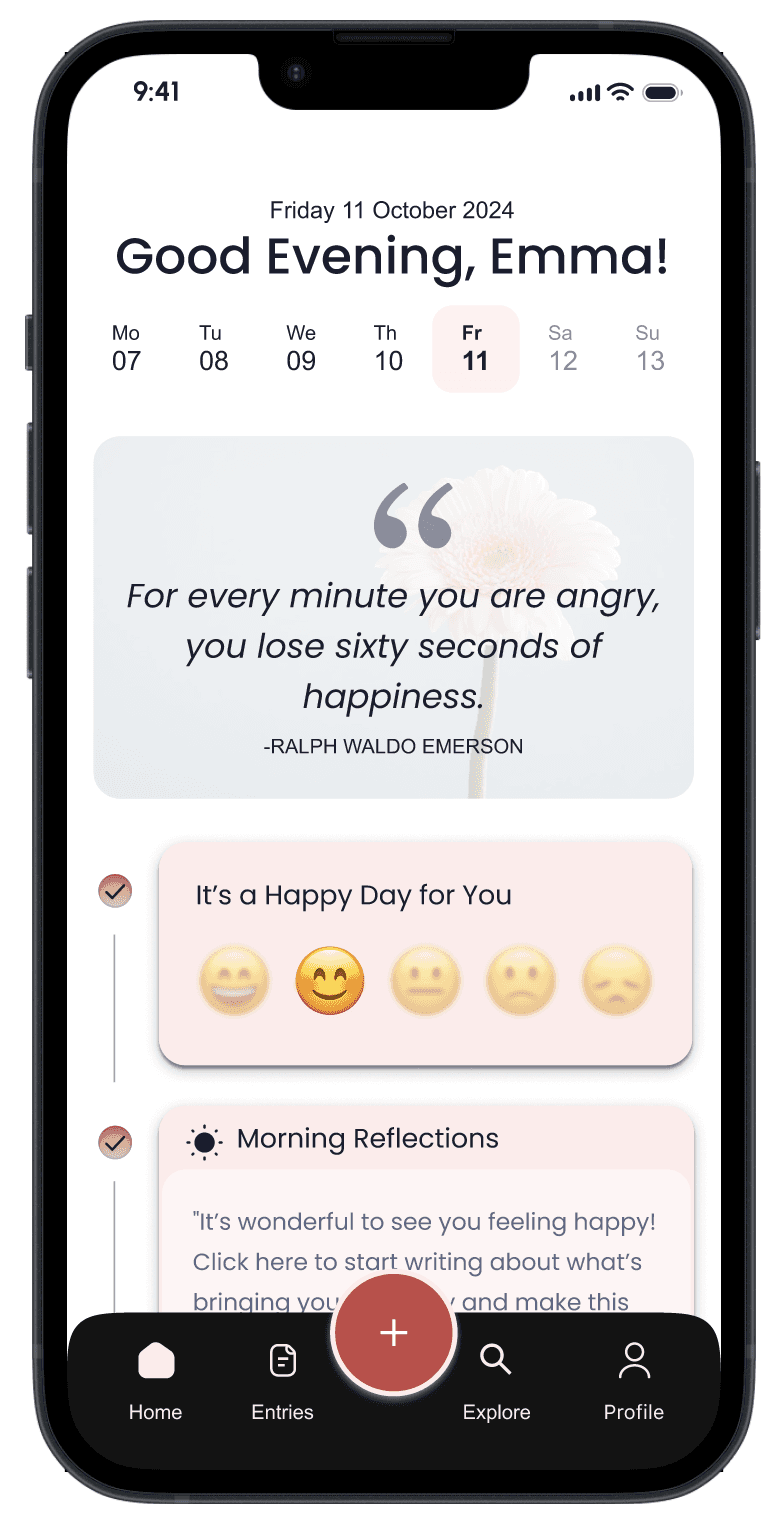
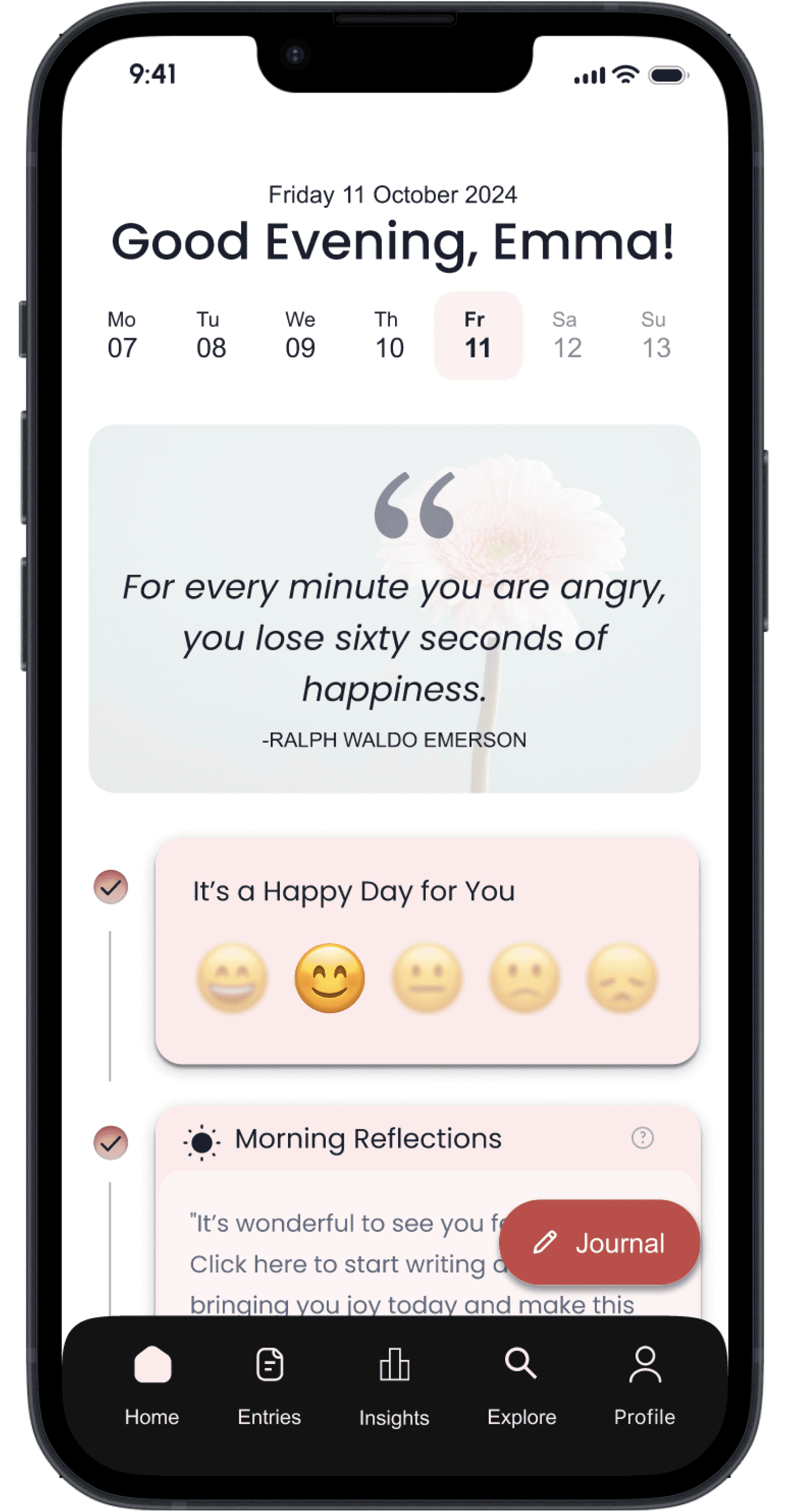
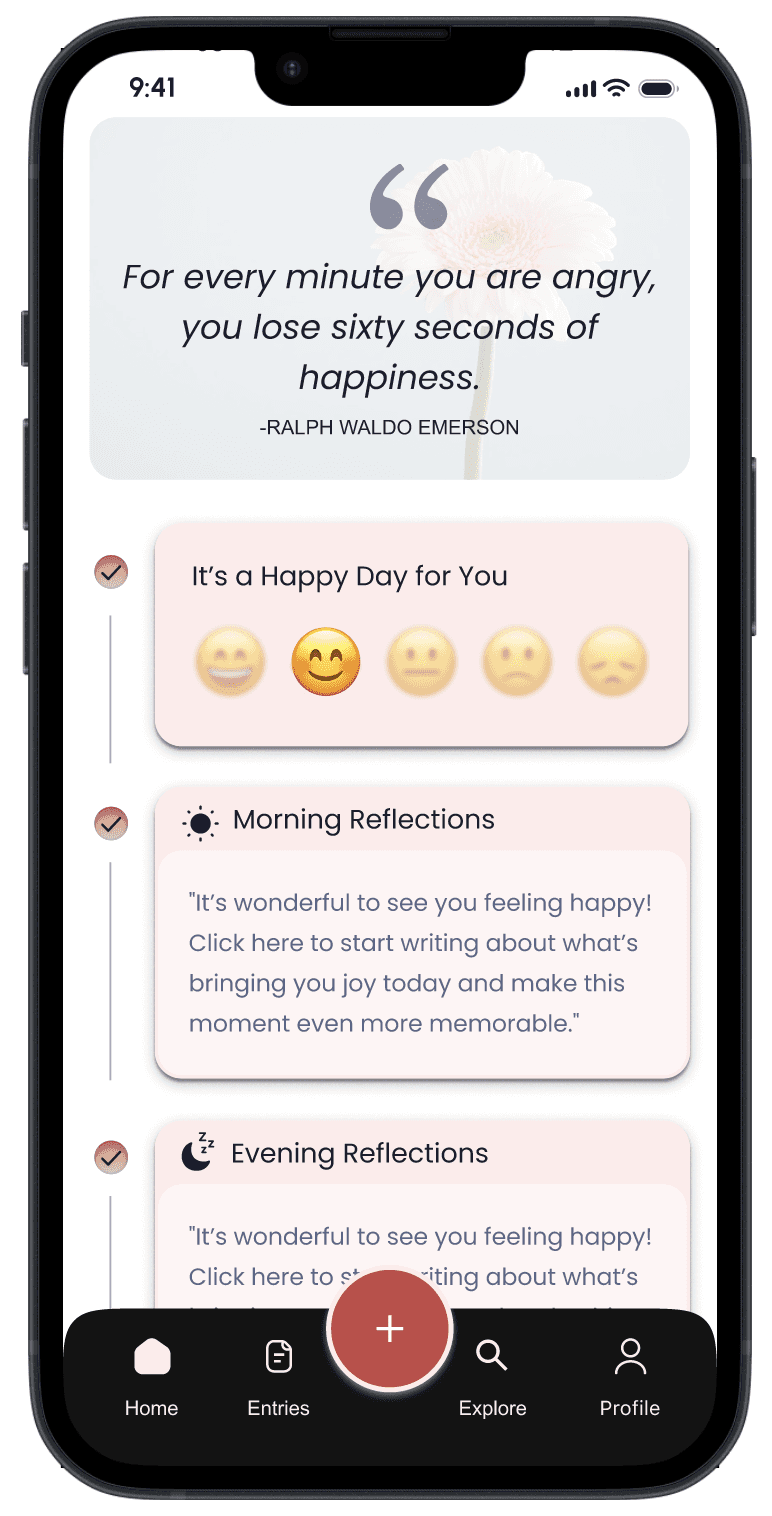
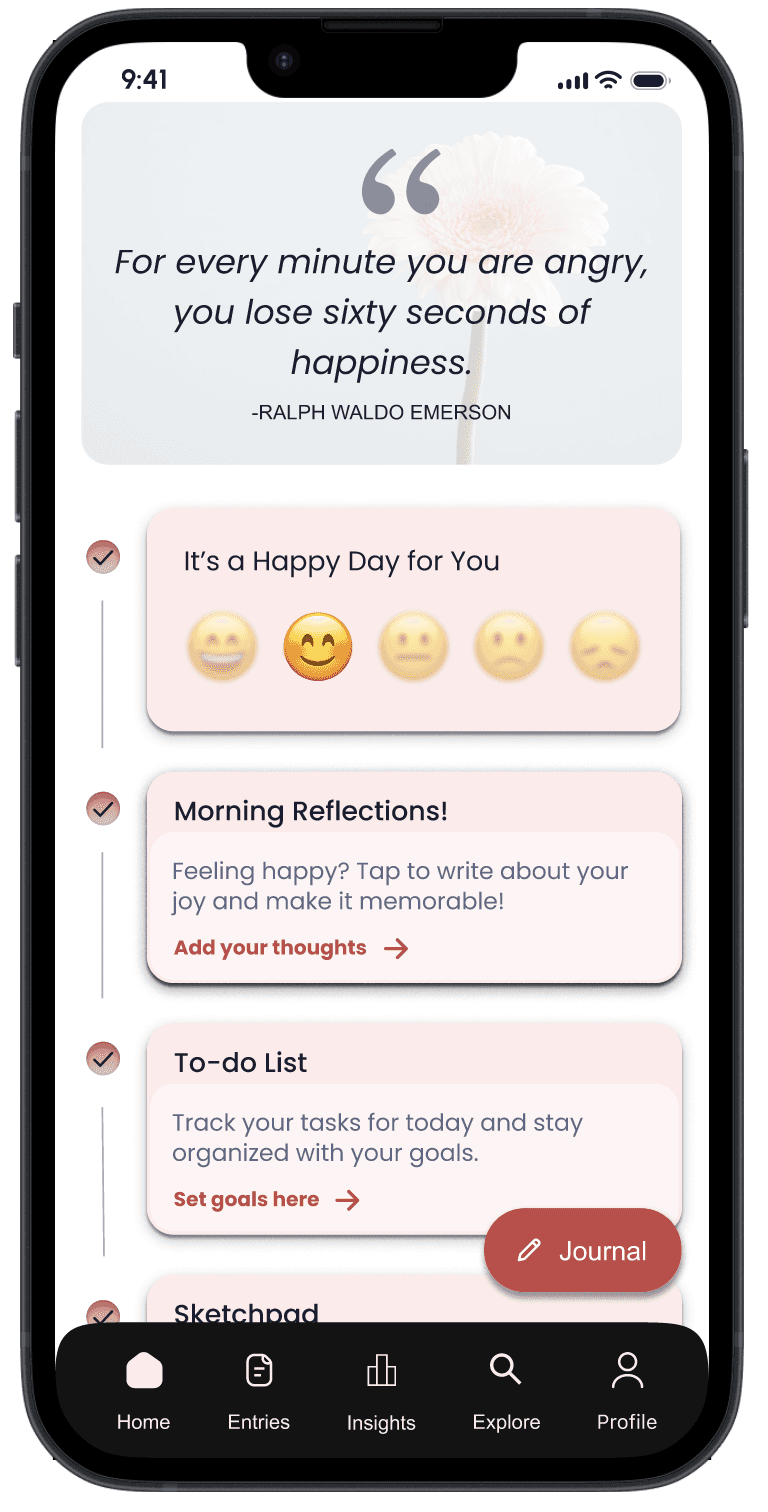
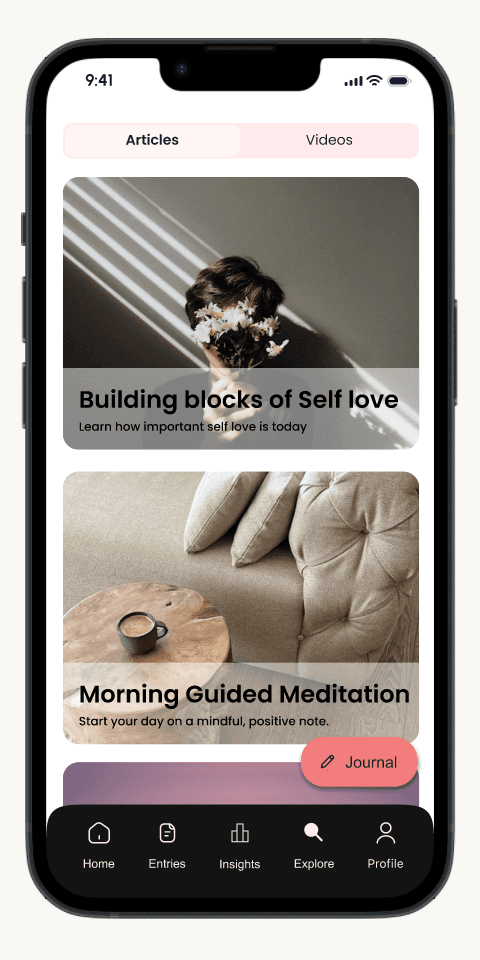
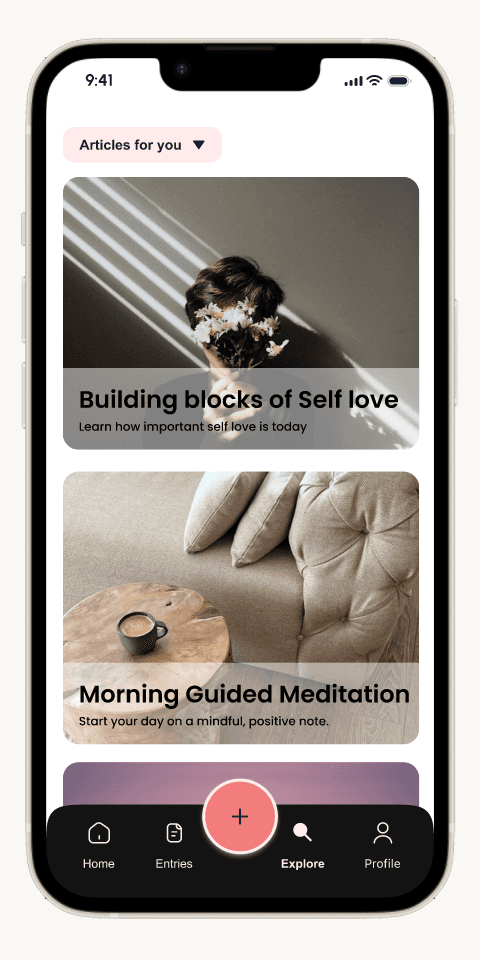
Based on the usability testing, I gathered all the data and created a graph to highlight which tasks users found challenging. I then identified minimal changes that could solve these usability issues. I worked on five such problems, out of which three are shown below.
Conclusion
Biggest Learnings:
Designing Constant reinforced that behavior change happens through small, repeatable actions rather than complex features. Building for emotional well-being required focusing on consistency, trust, and low-effort interactions instead of productivity metrics or aggressive engagement tactics.
What Worked
Applying the Hooked Model helped structure the experience around sustainable habit formation.
Usability testing with students surfaced emotional and cognitive friction early.
Keeping the interface intentionally minimal reduced overwhelm and encouraged repeat use.
Iterating based on real feedback strengthened the app’s tone and approachability.
What I Would Do Differently
Test habit loops over a longer period to better understand drop-off points.
Explore alternative triggers that feel more contextual and less intrusive.
Validate emotional impact with follow-up studies beyond initial usability sessions.
Next Steps
Expand testing to include students with different stress levels and routines.
Explore personalization based on mood or usage patterns.
Measure long-term engagement to assess whether journaling habits are sustained over time.